Assess risk
Open a vendor to see where its risk stands. SolveGRC scores risk from what it knows about the vendor: the questionnaire answers you've reviewed, the external signals it collects, and the evidence on file. You read that risk on the vendor's detail page and, for the serious vendors, push it into the enterprise risk register.
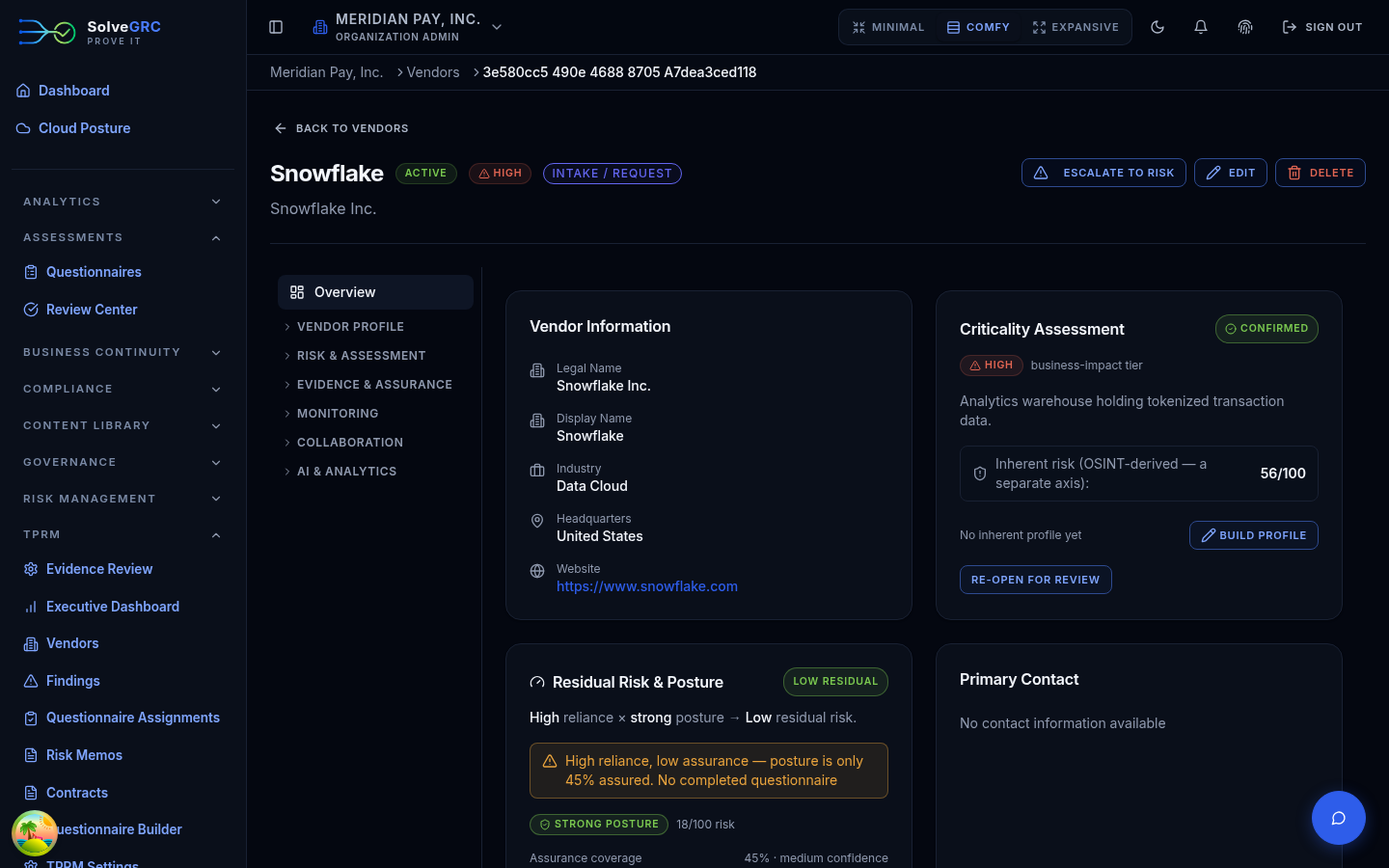
Residual risk and posture
The Overview tab leads with the vendor's residual risk, which SolveGRC frames as reliance × posture: how much you depend on this vendor, combined with how strong its security posture looks. The posture card shows:
- a composite posture score,
- an assurance coverage bar (how well-sourced that posture is), and
- a breakdown by source: questionnaire, external signals, evidence, financial, and contract.
The card's real value is the callout it raises when you rely heavily on a vendor but have thin assurance to back it up. That combination, high reliance and low assurance, is exactly where third-party risk hides.
Risk isn't something you calculate by hand here. It's derived from your reviewed questionnaire answers, the external signals SolveGRC collects, and the evidence on file, then rolled up into the posture and residual bands. Add more of those inputs and the picture sharpens.
If your own judgment differs from the computed posture, you can override it with a required reason. The card then shows your manual band alongside the computed one, so the override is always visible.
Assessment history
The Assessments tab lists the vendor's scored assessments: the inherent score, the residual score, control effectiveness, and an Overridden badge where someone has adjusted a score by hand. Scores sit on a 0 to 100 scale banded into low, moderate, high, and critical.
Explain the risk in words
The Narrative tab generates an AI risk narrative for a chosen audience: executive, analyst, or auditor. It pulls from the vendor's findings, latest assessment, high-risk questionnaire answers, evidence freshness, and drift, and writes an audience-appropriate summary with inline citations back to the source records. You can copy it or export it as Markdown.
Escalate to the risk register
When a vendor is genuinely material, promote it to your enterprise risk register. The Escalate to Risk button appears on the vendor header for high or critical vendors, or when there are open high or critical findings. It opens a dialog pre-filled with the vendor's severity and domain so you can create a register entry that the risk team then owns.
Individual findings can be escalated the same way, and a finding can instead be formally risk-accepted with an expiry date. Both are covered on Review and findings.
Knowing a vendor's risk, the next move is usually to ask it the hard questions directly. Continue to Send an assessment.