Review and findings
Once a vendor submits, your team reviews the answers and the evidence behind them, then turns any gaps into tracked findings you can remediate.
Review the submission
Open the assignment and use the Responses view to read what the vendor sent, answer by answer, alongside any evidence they attached. The Evidence Review area is where you work through vendor-supplied files: flagged or quarantined evidence, AI-suggested mappings from answers to your controls, and false-positive handling.
Turn gaps into findings
From a reviewed assignment, Generate Findings from Gaps surfaces the answers that need attention (rejected, needing clarification, or flagged high-risk by the AI) and proposes a severity for each. You pick which ones to turn into findings, adjust the severity, and for the serious ones you can tick Escalate to Risk in the same step.
The findings hub
Every finding across your vendors lives in the Findings hub, with cards for open findings, critical and high findings, and SLA status, plus filters and a table.
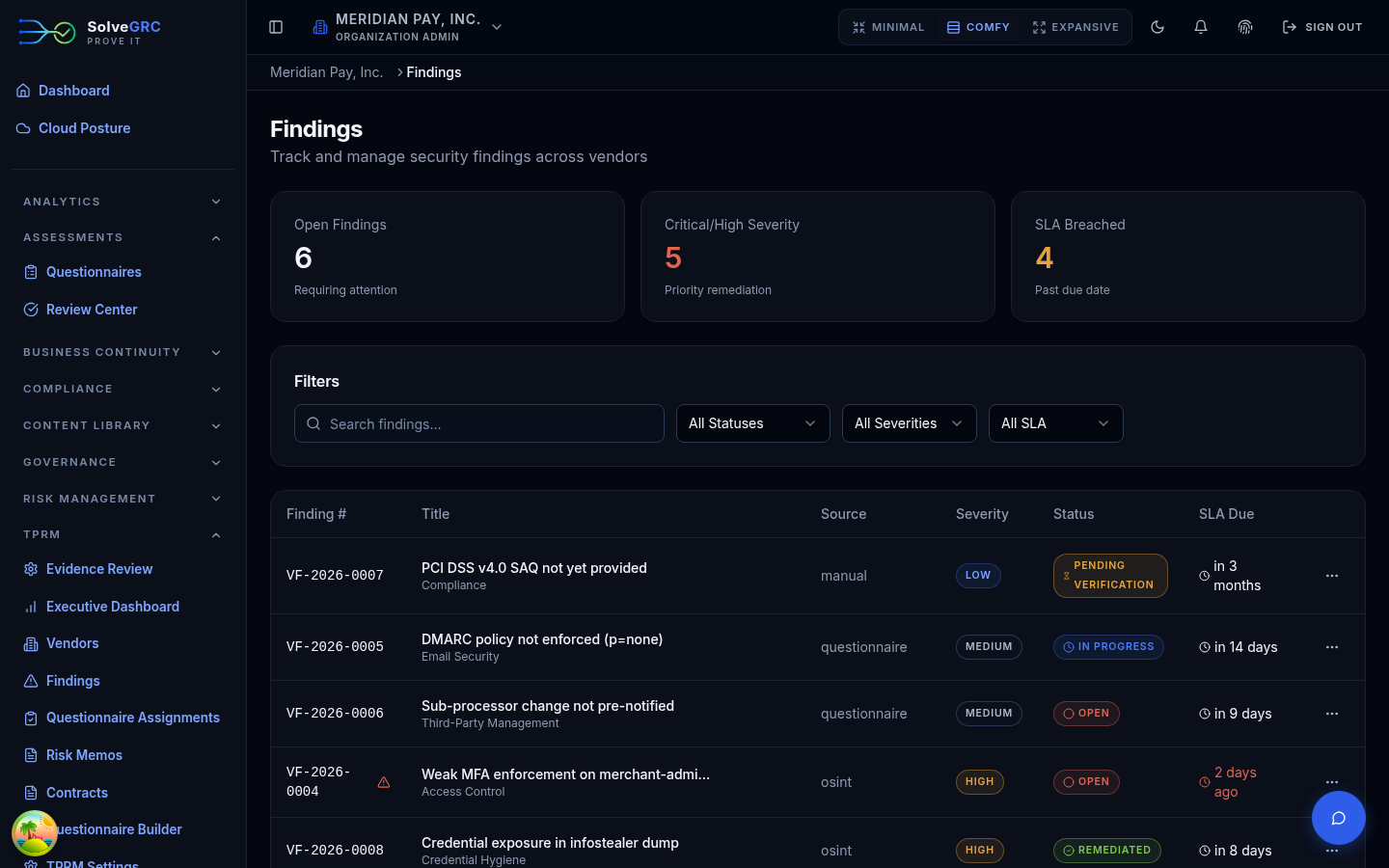
A finding can also be created by hand from a vendor's detail page, for issues that come from a pentest, a scan, a SOC 2 report, or your own review rather than a questionnaire.
Work a finding
Open a finding to see its number, severity, status, and SLA due date (SolveGRC sets the due date from the severity: the more severe, the sooner). The detail view has three tabs:
- Details with the description and a remediation plan and owner.
- Comments, a threaded discussion with @mentions and an internal-only or vendor-visible toggle.
- Timeline, the full audit trail.
Advance a finding through its lifecycle with the status control (open, in progress, remediated, closed, and so on). SolveGRC enforces which transitions are allowed, so you can't jump to an invalid state.
Accept or escalate the risk
Not every finding gets fixed. Two other outcomes are built in:
- Escalate to Risk promotes the finding into the enterprise risk register as a signal the risk team can correlate and quantify.
- Risk acceptance formally records a decision to accept the finding, with a business justification, any compensating controls, and a required future expiry date, since acceptances aren't allowed to be perpetual.
A risk acceptance moves through request and approval steps. Make sure the person approving an acceptance isn't the same person who requested it. The workflow supports separate reviewers; use them, and don't rubber-stamp your own acceptances.
Findings cover what a vendor told you. Contracts cover what it committed to. Continue to Contracts.