Onboard vendors
The first step is getting a third party into SolveGRC as a vendor record and deciding how critical it is to you. There are two ways in: add a vendor directly, or route it through a governed intake request that someone approves.
Find the module
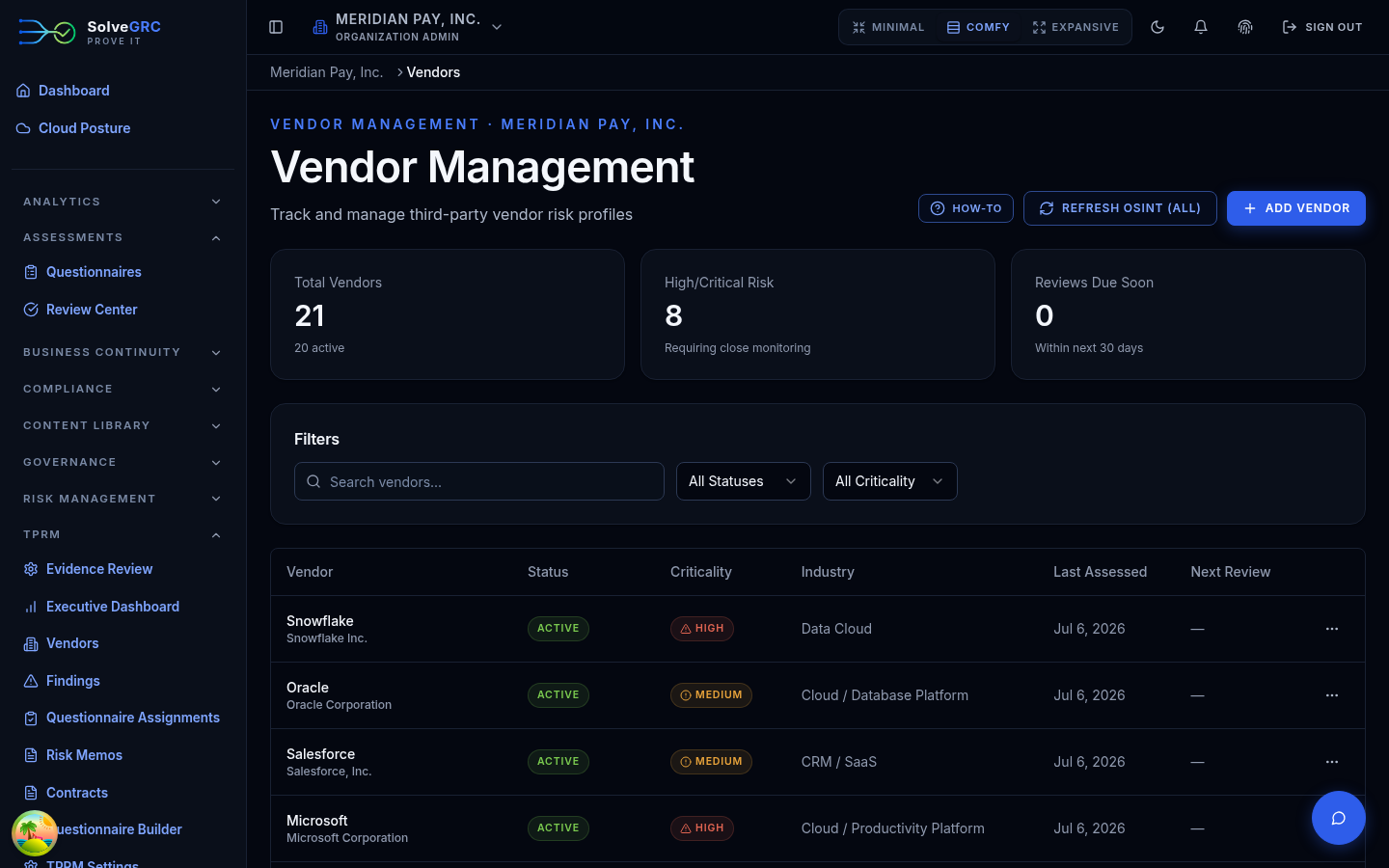
Open TPRM in the left sidebar. The executive dashboard is a good place to get your bearings (portfolio risk, top vendors), but you create vendors from Vendor Management.
Add a vendor directly
On Vendor Management, click Add vendor. Only the legal name is required. The form also captures a display name, service category, website, industry, headquarters country, whether the vendor is publicly traded, a primary contact, and a next-review date. New vendors default to prospective status.
The service category you choose matters: SolveGRC uses it to suggest a criticality tier (a payment processor or identity provider starts high, for example), which you then confirm.
Or route it through intake
For a governed onboarding process, use Intake Requests. Anyone with access can file a request with the vendor's name and a business justification, plus context like the data classification, hosting model, and estimated spend. A reviewer then approves or rejects it. Approving provisions a real vendor and links it back to the request; rejecting requires a reason.
Whether a vendor is added directly or provisioned from an approved intake request, it lands in the same Vendor Management inventory. Intake just adds a review-and-approve step in front of creation.
Set the vendor's criticality
Criticality is a business-impact judgment, kept separate from the external risk signals covered on the next page. SolveGRC suggests a tier from the service category and the data the vendor touches (PCI, PHI, PII, privileged access), with a plain-language rationale. You confirm the tier, which records who set it and why.
Advance it through the lifecycle
Open a vendor and use its Lifecycle tab to move it through your governed review stages, from intake and screening through onboarding, monitoring, reassessment, and eventually offboarding. Two guardrails apply on the way:
- A stage can require a checklist to be complete before you can advance.
- A stage can require a second reviewer to approve the move, so the person who requests a transition isn't always the one who approves it.
A vendor's status ("active"), its criticality ("high"), and its lifecycle stage ("onboarding") are set independently and don't sync to each other. Use the lifecycle stage as the source of truth for where a vendor actually is in your process.
Fourth parties
Your vendors' own subprocessors and infrastructure providers ("fourth parties") live in a separate Fourth-Party Inventory, linked to vendors rather than onboarded through the vendor flow. It surfaces concentration alerts, so you can see when many of your vendors depend on the same underlying provider.
With a vendor in the system, the next step is understanding its risk. Continue to Assess risk.