Contracts
Contracts capture what a vendor has actually committed to. SolveGRC records each agreement, uses AI to pull its obligations into a structured list, and grades those obligations against the baseline you require, so a missing breach-notification clause or a weak SLA becomes a visible gap that feeds the vendor's risk.
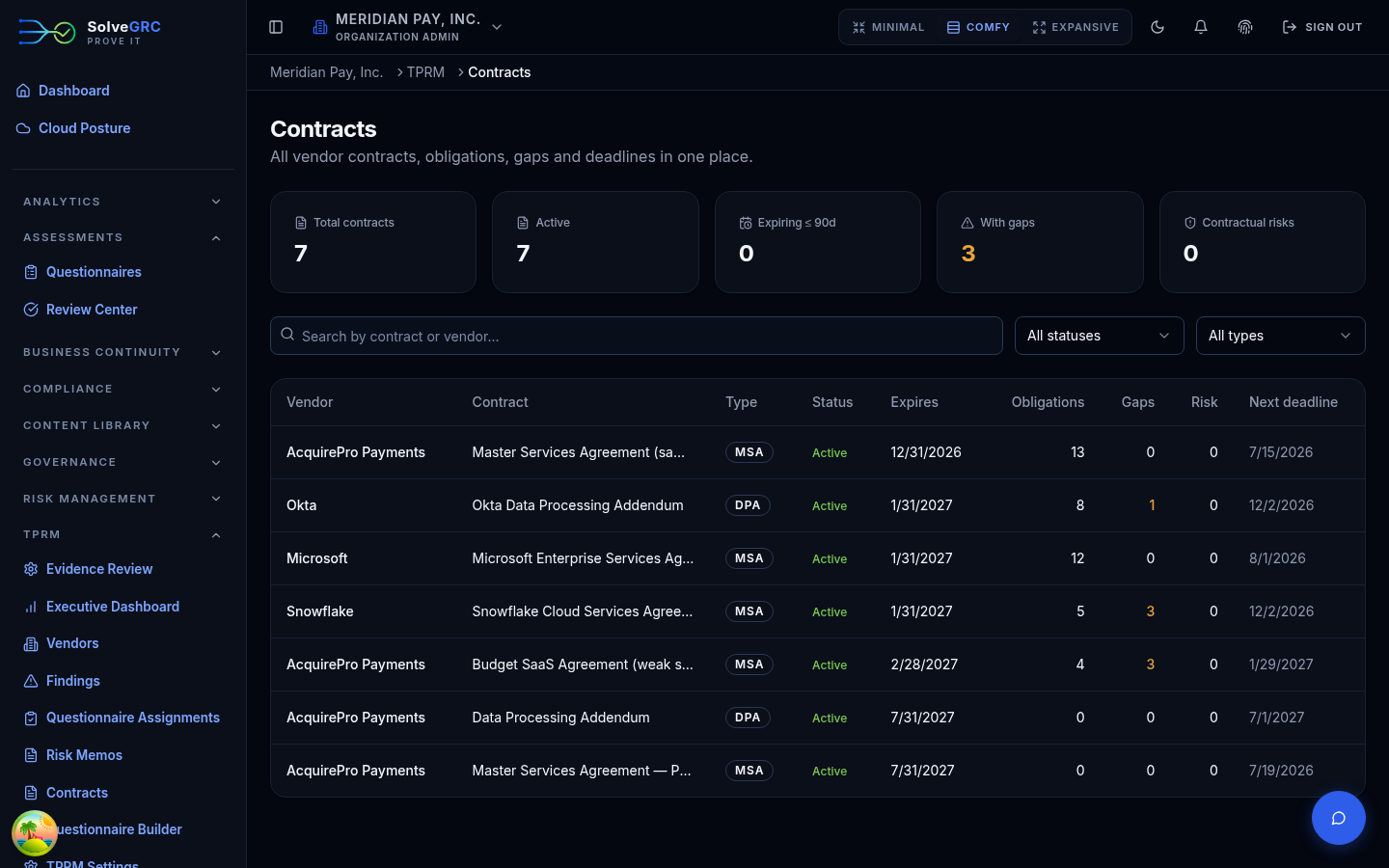
Add a contract and its file
Contracts are added from a vendor's Contracts tab. Create the contract row (type, dates, governing law), then attach the signed file. SolveGRC runs the file through its document pipeline so the text is searchable and ready for the AI steps below. The row shows "Indexing…" and then confirms when it's ready.
The org-wide Contracts hub and a contract's detail page are for browsing. The buttons that do the work, attach a file, extract obligations, and check coverage, live on the vendor's own Contracts tab.
Extract the obligations
Once the file is indexed, click Extract obligations. The AI reads the contract and pulls out its security, breach-notification, SLA, privacy, and compliance obligations into a structured list, keeping the verbatim contract text for each one so every obligation traces back to the exact language. Obligations it judges important are flagged as critical.
Check coverage against your baseline
Click Check coverage to grade the contract against your organization's required clause baseline. The AI marks each baseline item met, partial, or missing, and records the policy minimum next to what the contract actually says. Every gap on a required item becomes a contractual risk signal and feeds the vendor's inherent risk, so a weak contract shows up in the vendor's score, not just in a report.
The coverage check compares the contract to your clause library. If you haven't authored a required-clause baseline for your organization yet, set that up before running coverage, otherwise there's nothing to grade against.
Deadlines take care of themselves
You don't have to track renewal dates by hand. SolveGRC generates deadline reminders from the contract's dates (expiration, renewal or termination notice, auto-renew) and from recurring obligations, and surfaces the soonest ones on the vendor's Contracts tab and the contract detail page.
Contracts and findings are point-in-time. Vendors change after you sign, so the last piece is watching them. Continue to Monitor continuously.